Putting in a Golf Simulator: What Actually Works (2026)
Posted in Launch Monitors, Room Setup
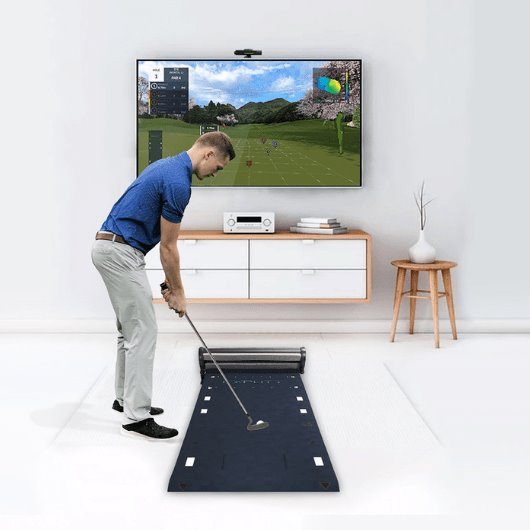
Yes, you can putt in a golf simulator, but how the putt gets scored depends on your setup. Your launch monitor may read the putt. The software can score it for you by distance instead of reading your stroke (auto-putt). Or an add-on camera can read it. Owners split on whether any of it trains real putting.
In a Nutshell
Owners and reviewers praise the putting on Square’s launch monitors and Trackman’s iO, the Garmin R50 and FlightScope Mevo+ draw complaints, and the Garmin R10 doesn’t read putts. If yours can’t putt, or putting feels off, set auto-putt for rounds and practice your stroke on a real mat beside the bay.
👉 Judge any putting setup by your distance control: it’s the skill owners most often say sim putting trains, and the one some say it erodes.
Jargon, once:
- Auto-putt — the software scores putts by distance instead of reading your stroke.
- Gimme and two-putt circle — putts inside the gimme count as holed; past it but inside the circle, as two putts.
- Stimp — a green-speed rating; higher is faster.
- GSPro — the $250-a-year PC golf program many owners use.
- Connector — a free program that links a launch monitor or camera to GSPro.
Three Ways a Simulator Scores a Putt
| Route | How the putt is scored | Space | Cost (2–3 Oct 2026) | Owner verdict |
|---|---|---|---|---|
| 1. Your launch monitor reads it | The monitor reads the putt like any shot | Your normal bay | Included | Varies by unit (next section) |
| 2. The software scores it | Auto-putt in GSPro and other sim software | Nothing extra | Included with the software (GSPro $250 a year) | Common for rounds, owners say |
| 3. An add-on reads it: webcam putting | An overhead webcam and a free community connector, documented for the MLM2PRO and Mevo+ | A webcam above the putting spot | A webcam you may already own; the connector is free | Works after a lot of tuning, owners say |
| 3. An add-on reads it: ExPutt RG | Its own camera and putting mat | Camera 2.3–5.6 ft high, mat 2.0–5.9 ft away (manual) | $469 | Face-angle feedback praised by owners (2023–2025) |
| 3. An add-on reads it: PuttView P7 / P7+ | Projection onto a contoured green | 60 sq ft | $11,980 / $16,980 at a US retailer; request a quote | Owner reviews of home units are scarce |
| 3. An add-on reads it: Zen Green Stage | A stage that tilts to set slopes; Zen lists ball tracking as coming in 2026 | 8 ft wide; 12, 16 or 20 ft long; 9 in tall | Price on request | Owner reviews of home units are scarce |
| Practice only: a real putting mat | Not scored | 8 to 26 ft long | $49.99 to $475 | Trains stroke and pace |
Prices as read on 2–3 October 2026 and re-checked on 14 October 2026. They change often, so check before you buy.
ExPutt’s UK store lists the RG at about £360; prices here are US dollars.
Start here:
- R10 or MLM2PRO owners: use auto-putt now and try webcam putting later.
- Square, Uneekor EYE MINI or Trackman iO owners: use the monitor’s own reading.
- GC3, Launch Pro, SkyTrak or ProTee owners: try putting through your sim software and keep auto-putt as the fallback.
How this was built: makers’ pages and manuals read August to October 2026, prices on 2–3 October 2026. Owner and reviewer reports come from Reddit and YouTube, plus Reddit threads from the past year. Nothing here was tested hands-on.
Which Launch Monitors Read Putts
- Owners and reviewers praise the putting: Square, Trackman iO (EYE MINI family: putting analysis claimed by Uneekor; two owners’ remarks, 2025–2026).
- Setup-dependent or weak: Mevo Gen2, Mevo+, Garmin R50, Voice Caddie SC4 Pro, SkyTrak.
- Maker claims no putting, or says nothing: R10, MLM2PRO, GC3, Launch Pro, ProTee (GC3 owners still putt with it in software).
| Unit and price (2 Oct 2026) | Reads putts? | What the maker says | What owners report |
|---|---|---|---|
| Garmin R10, $499.99 | No | Garmin’s manual lists no putting in a virtual round; GSPro’s guide: “does not support putting” | Owners use auto-putt; some add webcam putting |
| Rapsodo MLM2PRO, $599.99 sale (list $699.99) | No putting claimed by Rapsodo | The MLM2XPRO advertises putting with Rapsodo’s Core plan; not yet purchasable as of 2 Oct | Owners putt with webcam putting through a community connector |
| Voice Caddie SC4 Pro, $599.99 | Not stated by maker | No putting on the product page | SC4 and SC4 Pro owners: shots inside about 40–50 yards, putts included, often don’t register (8 reports from 3 owners) |
| Square Home Edition $699; Omni $1,599 (sold out at Square on 2 Oct) | Yes | Manuals: a putting speed range (1.1–17.9 mph, Home Edition) and a putting-mode button (Omni) | Omni putting praised (5 reports from 5 owners and reviewers); putter face data disputed |
| FlightScope Mevo Gen2 $1,299; Mevo+ $1,099 sale (list $2,299) | Yes | Gen2: “Putting: Launch Speed, Total Distance, and Ball Direction” | Gen2 good once dialed in (4 reports from 3 owners); reviewers call the Mevo+ weak under about 20 yards (2023–2025) |
| SkyTrak ST MAX, $1,695 sale (list $2,995) | Not stated by maker | Not on product pages; its Golf Club support article says putts give it more trouble | See the SkyTrak putting guide |
| Uneekor EYE MINI LITE $1,999 sale (list $2,750); EYE MINI $2,999 sale (list $4,500) | Yes, Uneekor says (EYE MINI) | “Built-in putting analysis” on EYE MINI’s page; the LITE manual lists a putter ball-speed row | Two owners’ remarks, 2025–2026 |
| Bushnell Launch Pro, $2,999.99 | Not stated by maker | No putting on Bushnell’s page | — |
| Garmin R50, $4,999.99 | Yes | Manual: “Putting: Enables or disables putting.” | Mostly weak (10 reports from 9 owners and reviewers, 2024–2026); one 2026 owner says it seems to read putts “pretty well” |
| ProTee VX, $6,500 (retailers) | Not stated by maker | Not documented | Owners contradict each other |
| Foresight GC3, $3,999 sale (list $6,999) | Not claimed | Foresight lists putting analysis only for the GCQuad (optional) and QuadMAX (included) | Owners value its putting, though realism has limits (4 reports from 3 owners, 2023–2025) |
| Trackman iO, $13,995 | Yes | “Simulator putting” | Realism praised (5 reports from 5 owners and reviewers) |
Prices as read on 2–3 October 2026 and re-checked on 14 October 2026. They change often, so check before you buy.
FlightScope’s product page puts the Mevo 5 ft from the ball for putting; its manual says 7 ft.
Best Launch Monitors for a Home Golf Simulator (2026), by Budget
Mevo Plus Putting – 10 Optimal Setup Tips
Skytrak Putting – Problems, Tips & Ideas
Auto-Putt, Gimmes and the Two-Putt Circle
- What owners set: in February 2026, three owners named a 4–5 ft gimme (one with a 25 ft two-putt circle, later 35 ft). A fourth runs 10 ft and 40 ft.
- Honest scores: generous gimmes inflate scores (14 reports from 14 owners), so follow one owner’s rule:
“Put the 2 putt ring as big as possible, but keep the inner gimme as small as possible.” (u/I_cant_hear_you_27, 2026-02-03)
- Match your real game: set the gimme to the distance you hole half your putts from (5 reports from 5 owners). One owner puts the Tour’s distance at about 8 ft, so an amateur’s is usually shorter.
- Guests: one owner uses auto gimmes inside 10 ft and steps off to a real cup for 11–25 ft putts.
- Leagues: check the league’s rules; one owner says the Simulator Golf Tour runs auto-putt versions of its tours, scored separately.
GSPro settings: gimme distances from a set list (2, 4, 5, 6, 8, 10, 12, 16, 18 and 20), Auto-Putt Fixed with adjustable one- and two-putt circles, Auto-Putt Random, Stimp, Putting Auto Aim, Putting Assistance and Putting Forgiveness.
Owners also find distances hard to judge on a screen: one says an 8 ft putt looks like roughly 18 ft.
Auto-putt scores a round; it doesn’t train your stroke. Practice that on a real mat.
When Your Launch Monitor Can’t Putt
- Webcam putting: a free community connector, documented for the MLM2PRO and Mevo+, reads putts from an overhead webcam, and R10 owners report using it too. Expect to tune the lighting, a signal-boosting USB extension and the connector’s radius setting; there’s no maker support. Choose it if you’ll tinker:
“There is an enormous amount of trial and error required” (u/Kentbro, 2026-08-03)
- ExPutt RG, $469: a camera and mat that read ball speed, putter direction and face angle. Owners buy it for the face-angle feedback (8 reports from 7 owners, 2023–2025). ExPutt’s pages don’t mention GSPro; the documented route is the same free connector, built for the MLM2PRO and Mevo+. Its app runs on a mobile device, though its manual says only practice mode works that way.
- ExPutt service and returns: owners and reviewers also report slow or absent support (2020–2025), and one owner’s unit died after nine months (December 2025). In October 2025, one owner was still waiting after about four weeks; another, after a customs hold, received it 25 days after ordering. Returns run 15 days from shipment, not delivery, with a 10% restocking fee. Choose it if you want stroke feedback.
- A launch monitor that putts: owners name Square and the EYE MINI as the alternatives. Square owners dispute its putter data, and one calls it “Good at best for pace putting.” Choose it if you’re buying a monitor anyway.
- Others: owners also mention Right Edge and TruPutt; this guide doesn’t cover them.
Launch Monitor & Golf Simulation Software – Compatibility Guide for 2025
A Real Putting Mat Beside the Bay
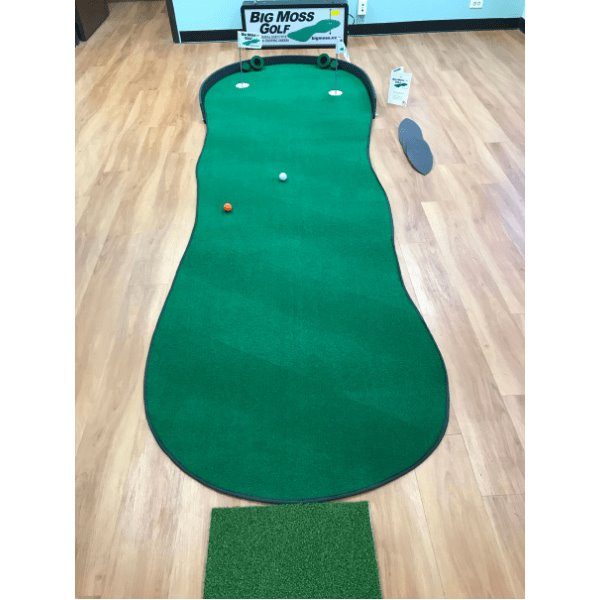
| Mat | Length | Stimp (maker) | Price | Owners say |
|---|---|---|---|---|
| PuttOut Slim | About 8 ft | 10 | $49.99 | Owners say the mat wears a groove over time (4 reports from 4 owners, 2021–2025) |
| Big Moss V2 simulator putting and return ramp | 3 × 3 ft or 18 × 36 in | Not stated | $89–139 | — |
| WellPutt 10 ft Performance | 10 ft | 10 / 11.5 | $149 | One owner prefers a WellPutt mat beside the sim |
| PuttOut Large | About 12 ft | Not stated | $149.99 | Ranked last in one five-mat comparison, reviewers say (4 reports from 3 reviewers, 2023–2025) |
| Big Moss Augusta V2 | 4 × 10 to 4 × 15 ft | Not stated | $289–389 | True roll praised on Big Moss greens (8 reports from 8 owners and reviewers, through 2023) |
Prices as read on 2–3 October 2026 and re-checked on 14 October 2026. They change often, so check before you buy.
Perfect Practice and BirdieBall mats are covered in the putting-green guide.
- Where to putt: owners putt beside the hitting strip, from the stance mat or a separate mat, not on it.
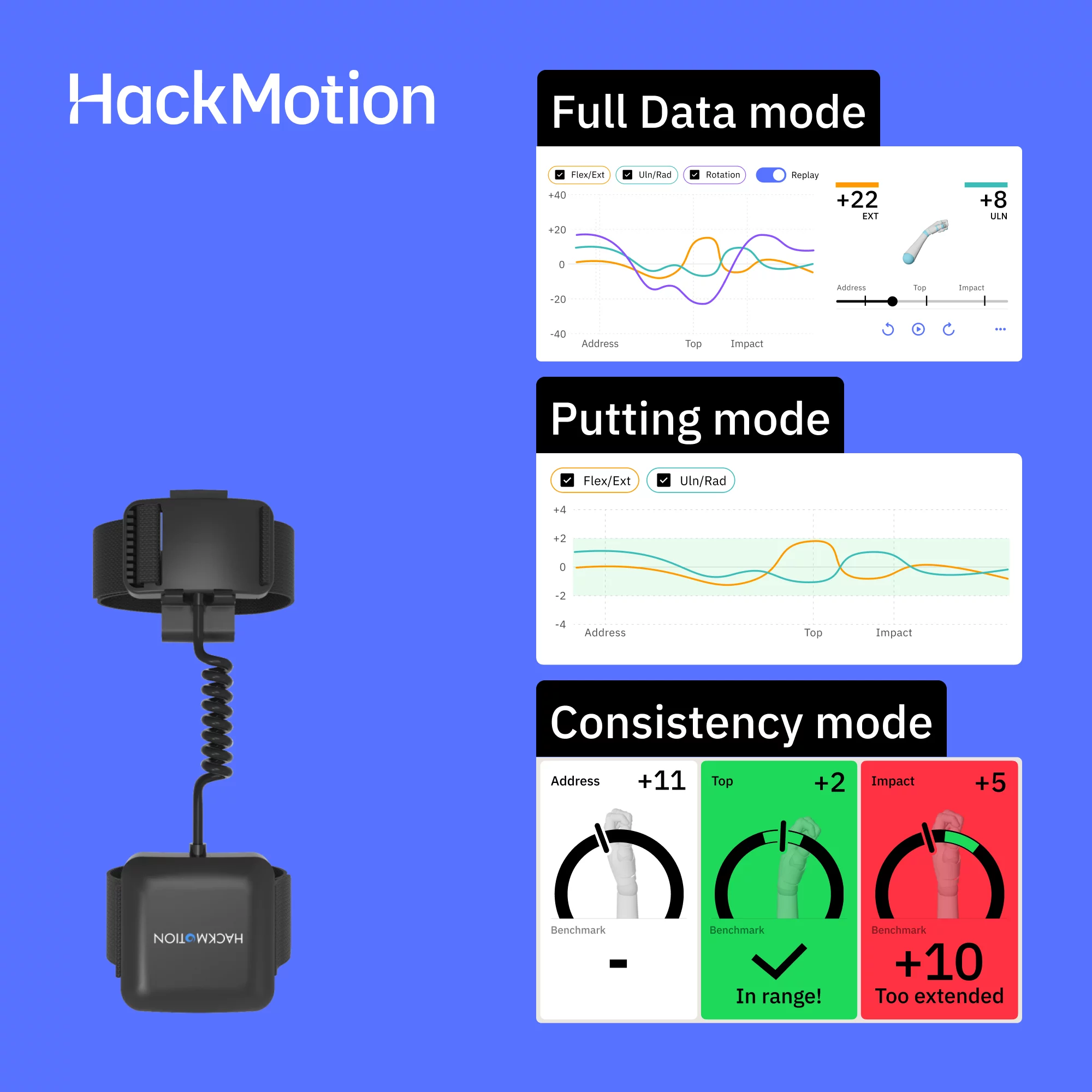
- Train the stroke: a wrist sensor such as HackMotion works on the stroke itself, with or without the sim. Its putting mode is on the Plus and Pro tiers, not Core.
Golf Simulator Putting Greens – Add a Putting Green to your Simulator Floor
Putting with Hackmotion – Step by Step Guide
Projection Systems and Putting Stages
- PuttView P7 / P7+: projects putt lines onto a 60 sq ft contoured green. A US retailer lists $11,980 and $16,980 with a request-a-quote button. It also lists a subscription of $180 a year from year two, or $1,495 a year for P7+ professional. Self-assembly.
- WellPutt BigTilt, from $22,500: a motorized platform that tilts 5% left-right and 3% up and down, Stimp 9.5–11. WellPutt also lists a coaching app and ball tracking with it (its page, August 2026).
- Zen Green Stage: price on request in the US. UK trade press listed it from £23,795 plus VAT in May 2024, excluding delivery and installation. Zen says installation typically takes two days, depending on configuration, accessories and floor preparation. Its Zen Eye ball tracking is “coming in 2026” (as of 3 October 2026).
These suit a dedicated putting room; owner reviews of home units are scarce.
Does Sim Putting Help on Real Greens?
- For: owners report that sim putting improves real distance control (7 reports from 7 owners). Some owners say the mechanics carry over when practice is done right.
“It’s helped me tremendously with distance control.” (u/rosaryjoe, 2026-04-28)
- Against: a few owners say it doesn’t carry over at all, and others, from November 2025 to April 2026, said it eroded their distance control. One of them wrote in April 2026:
“putting on the sim absolutely destroyed my distance control” (u/sbunce05, 2026-04-28)
- Scoring: one owner finds GSPro’s make or miss “EXTREMELY generous”.
- Green reading: several owners say sim putting does nothing for it, while a few say it helped.
This guide found no study of putting on a screen simulator against real greens; small VR-headset putting studies give mixed results, and none used a screen simulator.
Golf Simulator Vs Reality – 14 Tips to Improve Realism in your Golf Simulator
Putting in a Golf Simulator FAQ
Can you putt on a golf simulator?
Yes. Some launch monitors read putts, auto-putt scores them, or an add-on camera reads them.
Which launch monitor is best for putting?
Owners and reviewers praise Square’s units and the Trackman iO, and Uneekor claims putting analysis for the EYE MINI. The launch-monitor table lists the rest.
Can the Garmin R10 or Rapsodo MLM2PRO putt?
GSPro says the R10 doesn’t, and Rapsodo claims no putting for the MLM2PRO. Use auto-putt, or try webcam putting.
What gimme distance should you use?
The distance you hole half your putts from. Three owners set 4–5 ft; a fourth runs 10 ft and 40 ft.
ExPutt or a launch monitor that putts?
ExPutt adds face-angle feedback for $469, but its pages don’t mention GSPro. A launch monitor that putts saves a second device.
How much does PuttView cost?
A US retailer lists the P7 at $11,980 and the P7+ at $16,980 (request a quote), plus $180 a year from year two ($1,495 for P7+ professional).
Does putting on a simulator help your real putting?
For distance control, many owners say yes; for green reading, rarely; and a few say it hurt.
Final Thoughts
Decide what putting is for: auto-putt with honest gimmes for rounds, a real mat for your stroke. To have the sim read putts, owners and reviewers praise Square and the Trackman iO.
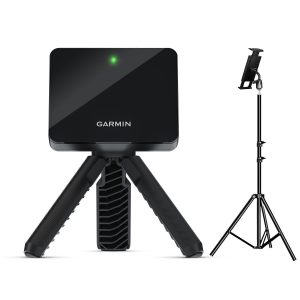
Golf Simulator Budget Builds: Five Builds Priced Part by Part, From $1,600 to $24,000 (2026)
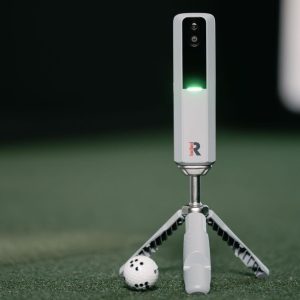
Launch Monitor Subscriptions Compared (2026): True Cost and No-Subscription Options
ABOUT THE AUTHOR
Hello! My name is Alex and it is my mission to bring you all the information you need to build your own home golf simulator! I hope mygolfsimulator.com helps you on your journey to better golf at home!
LEGAL INFORMATION
On this site, you'll find articles on all aspects of building a golf simulator. I will also link to other sites where you can buy some of the simulator components. Some of these links may be affiliate links, which means if you click them I gain a small commission at no extra cost to you. This really helps out me and my site so thank you in advance! mygolfsimulator.com and all related social media accounts are property of Awonline LTD.